

A home office doesn't need a dedicated room or much square footage to work. It needs four things: a surface at the right depth, a chair that doesn't hurt after an hour, adequate light, and enough visual separation from the rest of the room that the work zone feels distinct when you're in it. Everything past those four is optional, and most of what people add to home offices past them makes the space worse, not better. Get the four right in a corner of a bedroom and you have a better office than a spare room stuffed with furniture that fights the work.
The Desk Surface: Depth Over Width
The single most common desk mistake is choosing by width when depth is what matters. A surface needs to be deep enough that the screen isn't within arm's reach when you're seated — roughly 24 to 30 inches is the useful minimum. A desk 48 inches wide and 24 inches deep serves most work better than one 60 inches wide and 18 inches deep, because depth is what buys a comfortable viewing distance plus room for a keyboard and mouse in front of the screen rather than pinned against it.
If you already own a shallow desk, you don't have to replace it to fix the distance. Pushing the desk a few inches off the wall and letting the monitor sit at the very back recovers some depth; a keyboard tray mounted underneath recovers more by moving the keyboard off the surface entirely. Width is genuinely flexible — many people work comfortably on a 40-inch surface — but going below about 22 inches of depth forces the screen too close and the neck into a permanent forward tilt.
Screen Height and the Working Distance
Depth handles how far the screen sits; height handles how your neck holds up over a full day. A laptop used flat on a desk puts the screen well below eye level, which pulls the head down and forward for hours. The fix is cheap: a laptop stand or a monitor arm lifts the top of the screen to roughly eye level, and an arm has the bonus of clearing the desk space directly underneath, which makes most desks feel noticeably larger.
If you raise a laptop, add an external keyboard and mouse — otherwise the screen is at the right height but your hands are reaching up to a raised keyboard, trading one strain for another. A basic laptop stand runs $20 to $40, a decent monitor arm $30 to $80, and an external keyboard-and-mouse set can be had for under $30. It is a small outlay against a setup you may sit at forty hours a week.
Don't Cut Corners on the Chair
A chair that hurts after 45 minutes is not a neutral choice. It shapes how long you can work effectively and how you feel when you stop. For anyone working at home with any regularity, a chair that supports the lower back and adjusts for height and armrests makes a measurable difference to how the session goes and how the evening after it goes.
This is also the place where buying used pays off most. A quality ergonomic task chair bought secondhand from an office-furniture resale dealer typically runs $150 to $250 and outperforms most new consumer desk chairs at twice the price, because it was engineered for eight-hour days rather than for looking good in a catalog. Commercial chairs that reach the resale market usually have years of life left in them. If you buy one thing new for the office, a monitor arm is cheap; if you buy one thing used, make it the chair.
What Earns a Place on the Desk
The surface should hold only what gets used in every work session: the computer, a separate keyboard and mouse if you use them, one notepad, and any reference material actively in play. Everything else belongs off the desk.
That is more practical than austere. Most desk clutter arrives for convenience and stays through inertia — the charger permanently plugged in, the fistful of pens beyond what one hand can hold, the papers from a project that wrapped weeks ago. None of it supports the work; it fragments attention and makes the surface harder to wipe down. A five-minute sweep at the end of each work day keeps the desk at a functional minimum and removes the need for a periodic big reorganization. A single small tray or drawer for the two or three things you reach for occasionally handles the rest without letting them colonize the surface.
Vertical Storage for Small Rooms
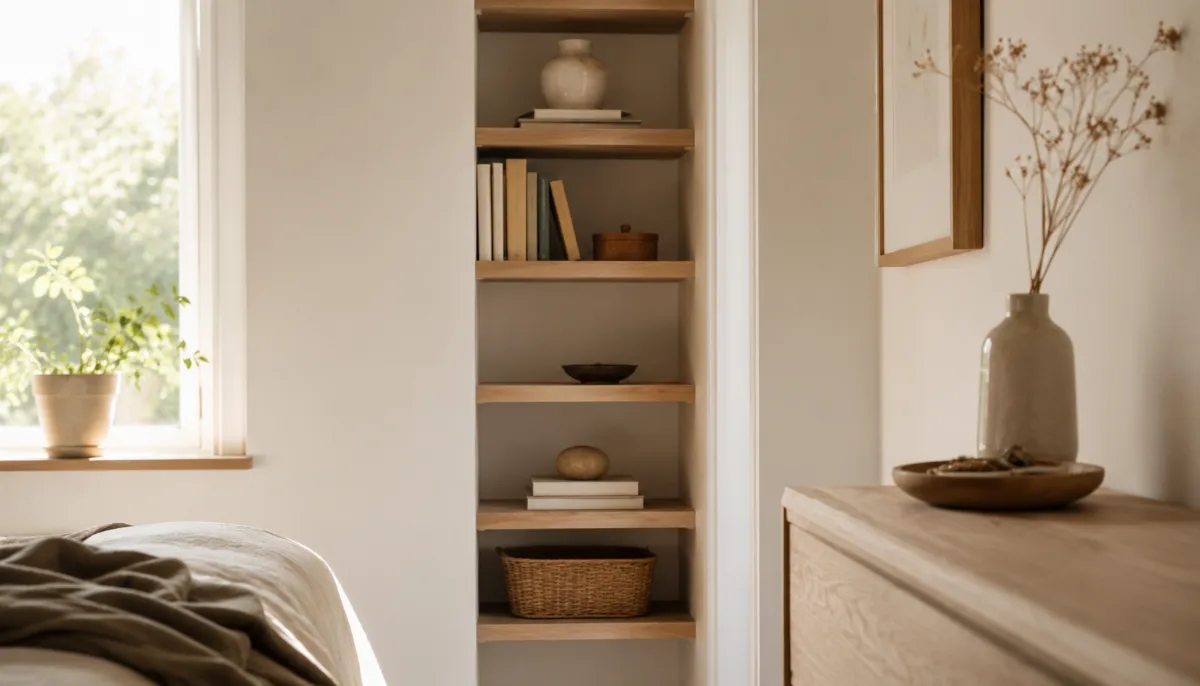
Floor space is finite; wall space is mostly wasted. Wall-mounted shelving above the desk holds books, files, and reference material without eating desk surface or floor. One or two floating shelves at arm height, carrying only what's relevant to current work, give more useful storage than a wide desk with things piled across it. For a deeper reference, see University of Arizona Extension's publications.
A pegboard on one wall stores tools and frequently used small items at arm height without drawers or extra horizontal surfaces. It is especially good in multi-use rooms, because it is compact and visually contained — it occupies a defined section of wall instead of creeping across every flat surface in the room. The general rule for a small office: when you run out of floor, build upward before you buy a bigger desk.
Carving an Office Out of a Shared Room

Most home offices aren't dedicated rooms. They're a corner of a bedroom, a stretch of the dining table, an alcove off the living room, or a guest room that doubles as workspace. Each has workable solutions that don't require renovation.
The governing principle in a shared space is visual containment. The desk area should read as distinct from the non-desk area — a rug under the work zone, a different section of wall, a chair that is specifically the work chair — so the mental separation between work and rest is backed by the physical setup. Without it, the desk bleeds into off-hours and genuine rest gets harder, because the room never stops signaling work.
For rooms where the desk needs to vanish outside work hours, a fold-down wall-mounted desk is worth considering. It folds flat against the wall when you're done, freeing the floor and visually closing the work zone until it's next opened. The trade-off is a smaller surface and no permanent on-desk storage — fine for most laptop work, limiting if you routinely spread out large paper. A folding screen or a low bookshelf used as a room divider does a lighter version of the same job, marking the boundary of the work zone without any mounting.
Lighting That Works for Screens
Natural light from a window is the best desk lighting, with one positioning rule: sit perpendicular to the window, not facing it or with your back to it. Facing the window throws glare across the screen; sitting with your back to it puts your face in shadow on video calls and blows out the background behind you. Perpendicular gives steady side light without either problem.
For supplemental light, a desk lamp aimed to fill the work surface without bouncing off the screen covers most needs. Color temperature is worth a thought: a warm bulb around 2700K suits evening work, while a cooler white near 4000K suits daytime work for most people. A lamp clamped to a shelf above the desk takes no surface space and hits the work area at a better angle than a freestanding one. If the room is dim and windowless, layering a bright task lamp over softer ambient light prevents the tunnel-vision feel of a single harsh source in a dark room.
The Habits That Make the Space Work

What makes an office functional is partly the setup and partly what you do in it: a defined spot used consistently, no competing stimuli during work, and a physical cue that the session is starting. The specific desk, the specific chair, the act of sitting down with the laptop open — over time these become associated with focused work and start producing that state more automatically. Get the four basics right (correct depth, a supportive chair, good lateral light, visual containment) and the space works in any available corner. The refinement from there is small adjustments based on how the work actually goes, not larger purchases.
What to Keep Out
Defining the space also means defining what isn't part of it. Exercise equipment parked nearby for lack of another spot, decorative objects placed on the desk for looks rather than use, hobby supplies unrelated to work, charging stations for devices used elsewhere — each competes for attention, even if only at the edges. A stack of unread books in the corner isn't neutral; it generates a low hum of a deferred task, quietly drawing processing capacity through the session.
Keeping the work space dedicated to its function isn't an aesthetic preference. It removes cues that pull focus toward other contexts — exercise, hobbies, storage — and those belong in a different physical location where possible, or at least clearly outside the desk zone's sightline. The office that holds only the work is the one that lets you start faster and stop cleanly.
Desk dimensions that matter:
| Dimension | Number | Why |
|---|---|---|
| Depth | 24–30 in | screen out of arm's reach |
| Best shape | 48×24 beats 60×18 | depth serves posture, width serves clutter |
| Width floor | ~22 in | below it, nothing fits |
| Upgrades | laptop stand $20–$40, monitor arm $30–$80 | the chair is the no-corner-cut item |



Comments
No comments yet.